
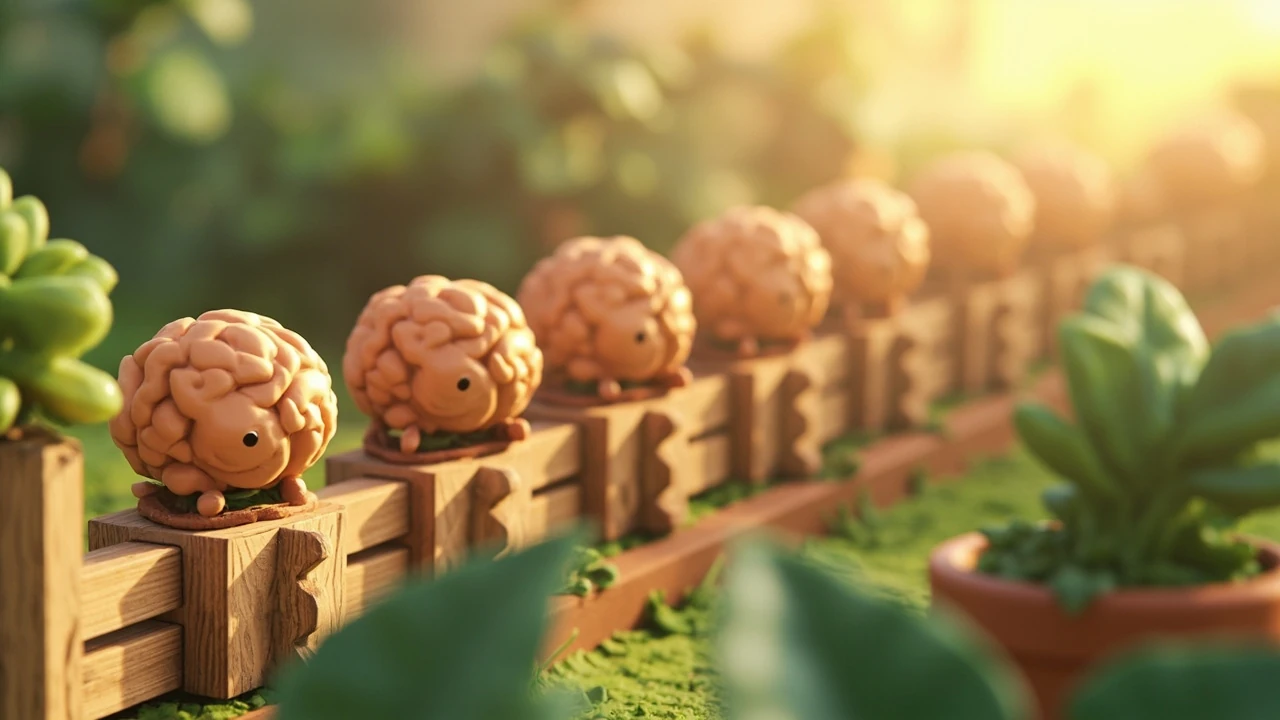
Codes for Plants vs Brainrots: what they are and how they fit into the game
Plants vs Brainrots is a Roblox garden defense experience in which you buy seeds, place them in plots along a lane, and watch each plant fight waves of silly brainrot creatures marching toward your base. The plants do the fighting while you collect the cash that drops after each wave, then spend that cash to grow stronger plants, rearrange your layout, and build a garden that improves as the waves get denser. Codes for Plants vs Brainrots sit on top of that loop as small text strings that the developer publishes, usually tied to updates, milestones, or community events, and that the game converts into in-game rewards when you type them into a redeem screen.
For a player, the practical value of a code is straightforward: it shortens the grind between a fresh save and a garden that can actually hold a wave. For a reader trying to understand how this kind of reward system works in a Roblox experience, the value is a little different. It shows how lightweight client-side redemption can be used to push a few in-game items out to a wide audience without a major patch, and how the developer uses external channels such as Discord and Roblox groups to broadcast the strings in the first place. The rest of this page walks through how the redemption flow works in practice, what kind of rewards the strings typically grant, why some codes stop working even though the menu still lists them, and how to think about the system if you are a developer studying it rather than only a player redeeming it.
How to redeem codes for Plants vs Brainrots
Redemption is intentionally simple, because the experience targets a wide Roblox audience and a complex input flow would defeat the point. The developer has kept the path short and consistent across updates, which matters when you are entering a string one character at a time on a phone.
- Open Plants vs Brainrots inside Roblox and wait for your garden to load fully.
- Look for the Shop or Codes button on the side of the screen, usually labeled in plain text rather than hidden behind a settings menu.
- Tap or click the button to open the redeem field.
- Type the code exactly as it appears, paying attention to capitalization, numbers, and any dashes or underscores.
- Confirm the entry and watch for the reward notification that appears right away when the code is valid.
The reward should land in your inventory or be applied to your balance immediately on a working code. If nothing happens, the redeem field usually clears on its own so you can try a different string. There is no confirmation pop-up that asks you to pick which character receives the reward, because the grants are global within the experience and do not require a character select step.
Why codes for Plants vs Brainrots sometimes fail to redeem
Even when you follow the steps correctly, a code can refuse to register. The most common reasons are practical rather than mysterious, and they are worth recognizing before you assume the string is wrong.
- Expiration: codes are usually time-bounded, and the developer does not always extend them when an event ends. If the redeemer returns a generic “invalid” message, the string is most likely past its active window.
- Regional or build differences: a code that works on one Roblox build can lag behind on another while a release rolls out. Closing the experience and rejoining can pull the latest configuration.
- Inventory pressure: a few grants depend on having free slots, and a full bag or storage can stop the transaction at the last step even though the string itself is valid.
- Typos: a single missing or transposed character is enough to fail. Pasting a string from a known-good source is safer than retyping it.
- Server state: in some cases the redeem screen is cached locally and needs a fresh connection. Reopening the Shop menu or rejoining the server forces a new state and resolves the issue.
When several of these overlap, the failure can look like a bug in the redeem flow when it is actually a combination of expired strings and cached menus. The fastest path is to close the experience, rejoin, and re-enter the code from a copy that came from the developer’s own channel rather than a screenshot.
What kinds of rewards codes for Plants vs Brainrots typically grant
The reward mix is small on purpose. A redeem code is a convenience tool, not a progression skip, and the developer uses it to nudge players toward a state where the early game feels less flat. Looking at how the system is described in the verified coverage, the grants cluster into a few familiar categories that match the core loop of buying seeds, placing plants, and surviving waves.
| Reward type | What it usually does | Where it tends to show up first |
|---|---|---|
| Cash | Boosts the currency you earn from defeating waves, helping you afford a new seed or a layout change faster. | Top-line balance in the garden HUD |
| Potions or buffs | Provides a temporary boost such as faster growth, stronger plants, or a small edge during a difficult wave. | Inventory and an on-screen effect |
| Items or seeds | Unlocks a specific plant, decoration, or consumable that you would otherwise have to grind for. | Inventory, then planted in the garden |
| Cosmetics | Adds a small visual touch, often a garden ornament or a plant variant, that does not change combat math. | Placement menu or a dedicated cosmetic slot |
That mix is a deliberate design choice. Cash and seeds lower the friction of the first hour, potions give a short-term boost that can be tuned to a particular wave density, and cosmetics add a reason to keep checking the redeem screen even after the gameplay rewards stop being useful. None of these grants are meant to replace the core progression path; they only soften the early curve.
How the code system fits into the game’s update cadence
Plants vs Brainrots lives inside Roblox, which means the developer can ship a new code, a balance change, or a new plant in the same delivery pipeline. That tight loop is part of why the redeem screen exists as a separate surface. Instead of pushing a small item through the full Roblox release process, the developer can hand the grant to the redeem endpoint and broadcast the string through a Discord channel, a Roblox group, or a social post.
For players, this means that checking the official channels once or twice a week is the most reliable way to catch a new code. For developers, it is a useful example of how a live-service layer can be added to a Roblox experience without owning the entire Roblox release infrastructure. The game itself does not need a new build to deliver a cash grant, and the player does not need to download anything to receive it. The cost is that the developer has to be disciplined about rotating the strings, because a static list quickly becomes useless once the audience memorizes it.
How to think about the redemption flow as a player
If you are playing the experience and just want the rewards, the practical checklist is short. Start the experience, open the Shop or Codes button, paste the string you trust, and confirm. If nothing happens, rejoin the server, free an inventory slot if your bag is full, and try the string again. If it still fails, treat the string as expired and move on, because there is no in-game way to extend a code that the developer has already retired.
It is also worth remembering that the redeem screen is global to the experience and not bound to a single character. If you play the same title from a different Roblox account on the same device, the same string can return the same grant because the reward is tied to the experience session rather than to your long-term save. That behavior is consistent with how most Roblox redeem screens work, and it is one reason the developer can ship a small reward without worrying about cross-account duplication rules.
How to think about the redemption flow as a developer
From a development standpoint, the Plants vs Brainrots code system is a clean, narrow example of a few patterns that show up in live-service design. It treats redeem strings as data rather than as code, which means the developer can rotate them on a backend without shipping a new client. It keeps the reward set small and bounded, which makes it easy to balance the grants against the rest of the economy. And it leans on community channels for distribution, which lets the developer reach the audience that already cares about the experience without paying for general advertising.
If you are building something similar, the same trade-offs apply. A redeem screen is a cheap way to add a recurring touchpoint, but only if the strings are rotated, the rewards are kept modest, and the failure path is well explained. A long list of expired codes that never get cleaned up is a worse experience than no redeem screen at all, because it trains players to ignore the feature.
Common questions about the redeem flow
A few practical questions come up often when players first encounter the redeem screen, and the answers tend to follow the same logic. The redeem surface is small, the reward set is small, and the failure modes are usually one of the patterns described above.
- The redeem field is the Shop or Codes button on the side of the screen, not a hidden settings menu.
- Codes are global to the experience, so you do not need to pick a character before you enter one.
- Expired codes fail silently in the sense that they return a generic invalid response rather than a custom message.
- Inventory pressure is a real failure mode, and freeing a slot before retrying is the fastest fix.
- The developer rotates the string list, so older coverage will include codes that no longer work.
Where to find fresh codes for Plants vs Brainrots
The most reliable sources for active strings are the channels the developer already controls. The Roblox group for the experience is a primary feed, because the developer uses it to announce updates and the codes that ship with them. The Discord channel linked from the experience is the other primary feed, and it tends to surface strings slightly earlier because the audience there is the one the developer is most directly communicating with.
Secondary coverage can be useful for context, especially when a list needs to be sorted by what is currently active. A practical approach is to treat the secondary coverage as a starting point and then confirm the string against the developer’s own channels before you redeem it. That habit protects you from the two most common sources of frustration with the redeem screen: expired strings and transcription errors.
Troubleshooting checklist for codes for Plants vs Brainrots
When a string refuses to redeem, the fastest path to a working state is to walk through the same short list of checks every time. The order matters because some checks are cheap and others require a rejoin, so you want to rule out the cheap ones first.
| Symptom | First check | If the first check fails |
|---|---|---|
| No confirmation pop-up | Re-enter the string from a copy-pasted source. | Reopen the Shop menu and try again. |
| Generic invalid message | Verify the string against the developer’s current list. | Treat the string as expired and rotate to a new one. |
| Reward never appears in inventory | Check whether the inventory is full and free a slot. | Rejoin the server so the local state is rebuilt. |
| Code is valid elsewhere but fails for you | Confirm you are in the same experience version. | Close the client fully and reopen Plants vs Brainrots. |
That table is a small diagnostic map, not a guarantee. Each row covers a real failure mode that the redeem flow can produce, and the next step in each column is the cheapest reliable action that does not require new information. If a string survives the entire walkthrough, the most likely explanation is that the developer has retired it without rotating the message, which is the one case where there is no in-game action that will fix the situation.
How the redeem screen compares with other Roblox code flows
Most Roblox experiences that support a redeem screen use the same basic shape: a Shop or Codes button, a single text field, a small reward set, and a distribution model that leans on Discord and Roblox groups. Plants vs Brainrots fits that shape closely, and the differences between it and a neighboring experience are usually about the reward mix rather than the structure. Some experiences grant cosmetics only, some grant currency, and some grant a mix of currency and consumables, but the redemption surface itself rarely changes.
That consistency is one reason the redeem screen is easy to learn. Once you have used it in one Roblox experience, the next one is mostly a matter of finding the right button and trusting the right source for the string. The Plants vs Brainrots redemption flow is a clean example of that pattern, and it is a good baseline to use when you are comparing the code systems across different experiences in the platform.
What the redeem flow tells you about the game’s economy
Because the rewards are deliberately small, the redeem screen acts as a soft pressure valve on the early game. A new player who redeems two or three strings at the start of a session can skip a slice of the early grind and reach a garden that holds a wave without as much trial and error. An experienced player, by contrast, is mostly looking for the cosmetic grants and the rare item unlocks, because the cash and potion rewards stop mattering once the garden is stable.
That split is by design, and it is a useful reference point if you are studying how a small live-service layer can be tuned to a particular progression curve. The redeem screen is not there to carry the game’s economy; it is there to ease the first hour and to give the developer a recurring touchpoint with the audience. As long as the grants stay modest and the rotation stays active, the feature continues to do that job without distorting the rest of the experience.
Frequently asked questions
Where do I enter codes for Plants vs Brainrots?
Open the experience, find the Shop or Codes button on the side of the screen, tap it to open the redeem field, type the string exactly as it appears, and confirm. The reward should land immediately if the string is still active.
Why does a code for Plants vs Brainrots say it is invalid?
The most common reason is that the string has expired, because the developer rotates the list as new codes ship. Typos, inventory pressure, and a cached redeem menu are the other common causes, and reentering the string or rejoining the server usually clears them.
Do codes for Plants vs Brainrots expire?
Yes. The developer treats the strings as time-bounded, which means older coverage will include codes that no longer work. The active list lives on the developer’s own channels, and the safest habit is to confirm a string against the official source before you redeem it.
Can I redeem codes for Plants vs Brainrots more than once?
No. The redeem surface is global to the experience and grants the reward once per account, so a second entry on the same account returns an invalid response. Using a different account on the same device is the only way to receive the same grant a second time.
What kind of rewards do codes for Plants vs Brainrots usually give?
The grants typically cluster into a small set of categories. Cash boosts the currency you earn from waves, potions give a short-term buff, items and seeds unlock specific plants or consumables, and cosmetics add a small visual touch. None of the grants are meant to replace the core progression path.
Do I need a certain level or plant to use a code?
No prerequisite level is enforced by the redeem screen. The reward lands as soon as the string is accepted, and any level gating happens inside the inventory rather than at the redeem step. If a grant depends on a slot you have not unlocked, it usually appears in your inventory until the slot opens.
Will new codes for Plants vs Brainrots appear with future updates?
Yes. New strings tend to ship alongside updates and events, which is why the active list is small and rotates quickly. The developer usually announces the new strings on the Discord channel and the Roblox group first.
Why is my reward not showing up after I redeem a code?
The most common cause is a full inventory. Free a slot, rejoin the server, and try the string again. If the reward still does not appear, the string is most likely expired, and the next step is to rotate to a new code from the developer’s current list.
Is there a limit to how many codes for Plants vs Brainrots I can redeem?
There is no fixed daily cap, but each string can be redeemed only once per account. The practical limit is the number of active strings the developer has published at a given moment, and that list changes as new codes ship and old ones expire.
Do codes for Plants vs Brainrots work on every platform?
Yes. The redeem screen is part of the Roblox client and works on phone, tablet, and PC builds, so the platform does not change the redemption flow. The only platform-sensitive step is the input itself, because typing a long string is faster with a keyboard than on a phone screen.
Leave a Reply